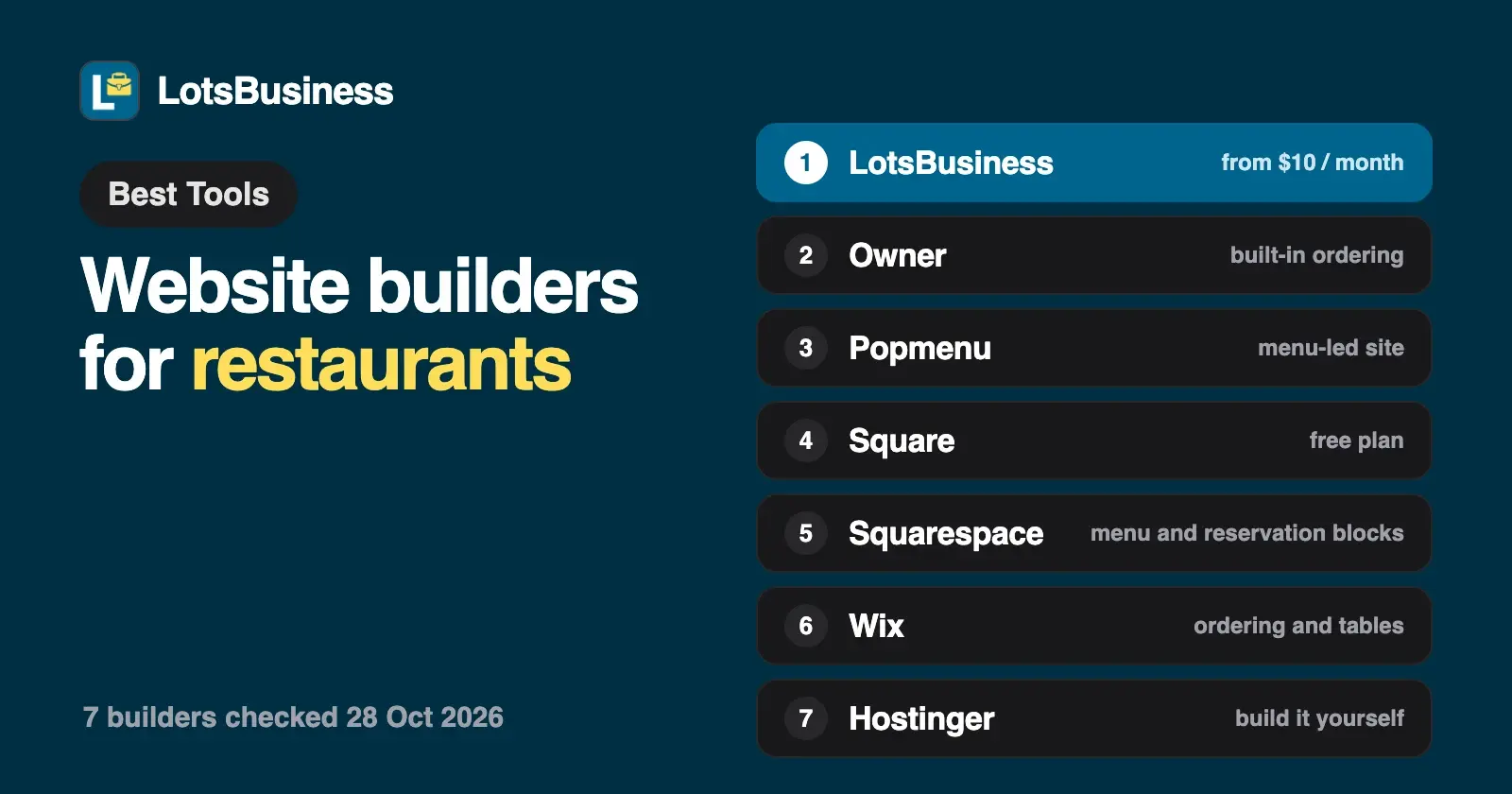
The best website builder for a restaurant depends on one question: do you want to take orders through your own site? If you mainly want to be found and booked, with your menu, hours, directions, a reserve button, a Google profile and email at your own name, LotsBusiness does that from $10 a month billed yearly. If built-in online ordering is the goal, look at Owner, Popmenu, Square or Wix.
People search for a restaurant on their phone, in the map, and they decide in seconds: is it open, what's on the menu, can I book, how do I get there. A restaurant website has a short job list, and a builder is only as good as how well it covers it.
I checked every builder below on its own pricing or product page, and Google's Business Profile help, on 28 October 2026. Prices are US dollars before tax, billed yearly unless I say otherwise. Sources are at the end.
What a restaurant website and Google profile need
Google's own guide to a Business Profile for restaurants is a good checklist. Put the same facts on your website.
- Your menu. Google lets food and drink businesses list menu items with descriptions and prices under a "Menu" tab, grouped into sections such as starters, mains and desserts. Changes can take 24 to 48 hours to show on Maps and Search. Your website needs the same menu, in text, so people and search engines can read it.
- Hours that match. Set regular hours, separate hours for delivery, takeout or drive-through if you offer them, and special hours for holidays and events. A restaurant with the wrong hours on Google loses the customer who drove there.
- A way to book or order. In your Google profile you can add a booking link and a food-ordering link, up to 10 links per category, and set a preferred provider. If you turn off "Accept orders on your profile", Google hides the third-party order options and links you added.
- Photos and directions. Photos of the room and the food, a map and a street address, and a phone number that's one tap away on a phone.
- Reviews you answer. Reply to each one on Google.
- Email at your own name. bookings@yourrestaurant.com reads as a business; a free webmail address on a catering quote doesn't.
The best website builders for restaurants at a glance
| Builder | Price (checked 28 Oct 2026) | Online ordering | Reservations | Google Business Profile | Email at your domain |
|---|---|---|---|---|---|
| LotsBusiness | $10 a month billed yearly, or $19 monthly (1 business) | Not built in: link your ordering page | "Reserve a table" button to your booking link; message form with optional date and time | Create and verify step by step, or link yours; posts with Book or Order buttons | Included, unlimited mailboxes |
| Owner | $249 a month plus a 5% restaurant fee per order, or $499 a month with no restaurant fees | Built in | Not listed on its pricing page | Not listed on its pricing page | Not listed on its pricing page |
| Popmenu | From $159 a month prepaid annually (Starter); $269 Essentials; $449 Premier | Add-on | OpenTable integration on every plan; waitlist and reservations on Premier, an add-on on Essentials | Google Business Profile sync on every plan | Not listed on its pricing page |
| Square | Free plan $0 a month per location, plus processing fees; Plus $49; Premium $149 | Online ordering profile and site on the Free plan | Reservation integrations on Premium | Google Food Ordering integration listed on its online store page | Not listed on its pricing page |
| Squarespace | $19 a month billed yearly (Basic); $29 Core | Via ChowNow (not on Basic) | OpenTable block | Not listed on its pricing page | 1 Google Workspace account free for the first year on select plans |
| Wix | Not quoted | Wix Restaurants Orders (paid plan) | Wix Table Reservations (paid plan) | Connects to Order with Google | Not listed on the pages I checked |
| Hostinger | Renews at $10.99 a month (Premium), paid upfront for the term | Ecommerce available on Unlimited | "Take bookings online" listed on its builder page | Not listed on its builder page | 2 mailboxes per website free for year one (Premium) |
"Not listed" means I didn't find it on the vendor's own page on 28 October 2026, not that it can't be done.
1. LotsBusiness: found, booked and on Google, with email included
I built LotsBusiness for owners who want to look professional and be easy to find, without a designer or developer. Here's how it covers a restaurant's list.
- A restaurant and cafe design. Pick it and the site lays out your menu highlights with prices, a photo gallery, your opening hours, directions and a "Reserve a table" button. Your name, menu items, hours and photos fill in from your details. You can turn on a tap-to-call bar and a WhatsApp button, so a guest on a phone reaches you in one tap.
- A reserve button that goes to your booking page. Add the booking link you already use and the button opens it. The website's message form also has an optional preferred date and time, which is handy for private dining and group enquiries, and every message arrives by email and in your dashboard, spam filtered.
- On Google Search and Maps. Create your Google Business Profile step by step with Google's own verification, or link the one you have. Then post offers, events and updates, and add a button such as Book or Order that links to your page. Google decides verification and where you appear. Here are the full steps to get on Google Maps.
- Email at your own name. bookings@, events@ and a mailbox for every manager once your domain is connected, with unlimited mailboxes. More in business email at your own domain.
- Listed where guests look. LotsBusiness shows which directories matter for a restaurant, gives you the exact details to enter so your name, phone and address match everywhere, and tracks what's done. You submit them; LotsBusiness doesn't.
- See what's working. Visitor stats without cookie banners.
Price. Starter covers 1 business for $120 a year ($10 a month) or $19 monthly, with every feature included, and your website lives on a free yourname.lotssite.com address or your own domain. Every business starts with a free directory listing, and new accounts get free credits to start, about a month of one business, no card needed. Full details in LotsBusiness pricing explained and on the pricing page.
What it doesn't do. LotsBusiness doesn't take online orders or payments, run a table-management or waitlist system, run ads, submit directory listings for you, or promise the top spot on Google. If you sell packaged food or products online, that's LotsStore, a separate product.
2. Owner: online ordering and marketing in one platform
Owner is built around direct online orders. Pricing is on its page, month to month with no long-term contract: $249 a month plus a 5% restaurant fee per order on its Flexible plan, or $499 a month with no restaurant fees on its Flat Rate plan, which Owner says suits restaurants doing $5,000 or more a month in online sales. Both plans include the website, online ordering, a branded mobile app, automated SEO pages, loyalty and rewards, AI-powered marketing, direct catering orders, setup and migration, and 24/7 support. You start with a demo.
Owner says plainly that you give up some control over how your site looks in return for a proven system. Pick Owner if direct online orders are the main reason you want a website and the monthly cost fits your sales.
3. Popmenu: a menu-led website with marketing tools
Popmenu lists three plans, prepaid annually: Starter at $159 a month, Essentials at $269 and Premier at $449. Starter includes an SEO-driven website, an interactive menu, Google Business Profile sync, guest contact collection, automated email marketing, easy menu updates, an event calendar and an OpenTable integration. Essentials adds mass email campaigns, social posting and 500 text messages, and Premier adds a digital waitlist and reservations, audience segmentation and reputation management. Online ordering and catering is an add-on on every plan. You book a demo to start.
Pick Popmenu if you want a menu-led site with email and text tools run for you, and you're ready for that budget.
4. Square: free to start if you already use Square
Square's Free plan is $0 a month per location and includes an online site and an online ordering profile, with processing fees when you take a payment (3.3% + 30 cents for online card payments on Free). Plus is $49 and Premium is $149 a month per location, and Premium adds reservation integrations and 24/7 priority support. Its online store page lists a Google Food Ordering integration.
Pick Square if you already take payments on Square or want the lowest monthly figure and are happy with a simple site.
5. Squarespace: polished design, menu and reservation blocks
Squarespace is $19 a month billed yearly on Basic, $29 on Core, $49 on Plus and $99 on Advanced, with a 14-day free trial. Its menu block and OpenTable block are listed on every plan, and ordering through ChowNow sits under premium integrations that Basic doesn't include. Core and above include one Google Workspace account free for the first year. Annual plans include a free domain for the first year.
Pick Squarespace if the look of your site matters as much as the menu. I covered more options in Squarespace alternatives.
6. Wix: its own restaurant tools for orders and reservations
Its Wix Restaurants tools cover menus, online orders for pickup, delivery or dine-in, and table reservations, and Wix calls its ordering commission-free. Wix says you can show your menu without a plan, but accepting online orders and payments, and letting customers book tables online, need a paid plan. The Wix Restaurants Orders app can also connect your restaurant to Order with Google.
I'm not quoting Wix prices; check the plans in your own region. Pick Wix if you want lots of design choice and Wix's ordering and reservations in one place. How it compares to ours is in LotsBusiness vs Wix.
7. Hostinger: a low monthly figure if you pay for years upfront
Hostinger's builder has a restaurant template category and is paid upfront for the term. Premium covers up to 3 websites with 2 mailboxes per website, and a mailbox and a custom domain are free for the first year. It renews at $10.99 a month; Unlimited renews at $16.99. The first-term price is a promotion, so check what you'd pay today. Its builder page lists "Take bookings online", ecommerce is available on Unlimited, and Google profile tools aren't listed.
Pick Hostinger if the lowest first-term cost matters most and you're comfortable building the pages.
What about BentoBox?
BentoBox, a restaurant website product, is now part of Clover. Its own page says its products are currently only available to Clover POS customers, so it isn't an option for a new restaurant unless you're on Clover.
Your hours and the Google part
Set your hours on your website and on Google, and check both whenever they change. LotsBusiness sends your weekly hours to Google once, when it creates your Google Business Profile. After that, you change hours on Google, including the separate delivery or takeout hours and special hours for holidays that Google's restaurant guide describes. Hours you change in LotsBusiness update your website and your free LotsBusiness listing. My guide to changing your business hours on Google and your website has the steps.
The menu, food-ordering link and booking link on your Google profile are also set in Google itself: use the menu editor and the Food ordering and booking options in your profile.
How to choose
- Direct online orders are the main goal: Owner, Popmenu, Square or Wix.
- A menu-led site with marketing tools run for you: Popmenu.
- You already take payments on Square: Square.
- Design matters most: Squarespace or Wix.
- The lowest monthly figure, paid years upfront: Hostinger.
- To be found and booked, with your menu, hours, a reserve button, your Google profile and email at your own name in one price: LotsBusiness, from $10 a month billed yearly.
For agencies with restaurant clients
If you build sites for several restaurants, each client is one business in your LotsBusiness workspace, at $6.50 per client a month on 5 clients or $4.30 on 25, billed yearly. Send the owner an approval link to check the draft without an account, and hand everything over when they want to own it. My guide to client sign-off and hand-over has the steps, website builders for agencies compares the agency platforms, and there's more on the agencies page.
Or ask your AI assistant
Everything works in the dashboard. LotsBusiness also works with the AI agent you already use, so if you work in ChatGPT or Claude, connect it once on the connect page and ask in plain words:
Add a Sunday brunch section to the menu highlights with three dishes and prices, and point the reserve button to our new booking page.
It shows you the change first, and nothing goes live until you approve.
FAQ
What is the best website builder for a restaurant?
It depends on whether you want to take orders on your own site. LotsBusiness suits restaurants that want to be found and booked: a restaurant design with menu highlights, hours, directions and a reserve button, a Google profile set up step by step, and email at your own name, from $10 a month billed yearly. Owner, Popmenu (as an add-on), Square and Wix offer online ordering.
Does a restaurant need online ordering on its website?
Not to be found. Google lets you add your own food-ordering link and a booking link to your Business Profile, up to 10 links per category, so guests can order or book from Maps and Search. Choose a builder with ordering built in if you want to take orders through your own site.
Is there a free website builder for a restaurant?
Yes, with limits. Square's Free plan costs $0 a month per location with processing fees on payments. Google Business Profile is free, and every LotsBusiness business starts with a free directory listing.
Can customers reserve a table on a LotsBusiness website?
The restaurant design has a "Reserve a table" button that opens the booking link you set, such as the reservation page you already use. The website's message form also has an optional preferred date and time. LotsBusiness doesn't manage tables or a waitlist itself.
How do I get my menu on Google?
In your Business Profile, choose Edit menu and add items, descriptions and prices in sections. Changes can take 24 to 48 hours to show on Maps and Search. You can also add a link to your menu to your profile. The menu on Google is set in Google, not in your website builder.
If I change my opening hours on my website, does Google change too?
No. LotsBusiness sends your weekly hours to Google once, when it creates your Google Business Profile. After that, change hours on Google. Hours you change in LotsBusiness update your website and your LotsBusiness listing.
How much does a restaurant website cost?
From the builders I checked on 28 October 2026: LotsBusiness is $10 a month billed yearly for one business with email and the Google profile steps included, Squarespace Basic is $19, Popmenu Starter is $159 prepaid annually, and Owner is $249 a month plus 5% per order or $499 flat. Square's Free plan is $0 plus processing fees.
Sources (checked on 28 October 2026)
- Google Business Profile Help: Get started with a Business Profile for your restaurant, About the menu editor, Manage online ordering options, Manage your local business links
- LotsBusiness: pricing, agencies, connect an AI assistant
- Owner: pricing
- Popmenu: pricing
- Square: pricing, online store
- Squarespace: pricing
- Wix: restaurant website builder, Wix Restaurants overview
- Hostinger: website builder
- BentoBox: getbento.com