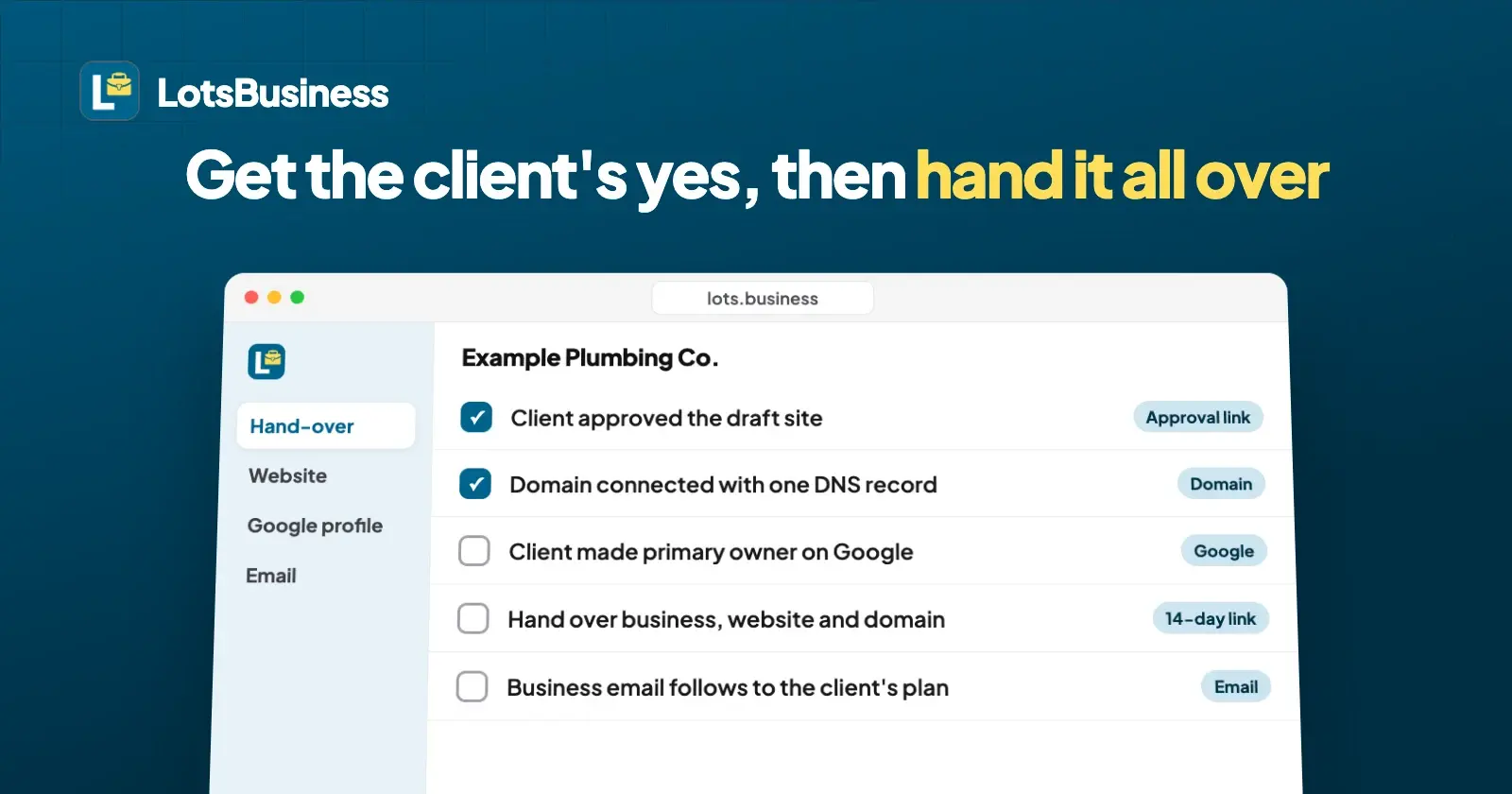
Get sign-off with a link the client opens without an account, so their yes is recorded against the exact version they saw. Then hand over three things, each where it lives: the website and business moved to the client's own account, the domain kept in the client's name at their registrar, and the Google Business Profile with the client made its primary owner on Google.
These are the two moments where agency client projects go wrong: approvals scattered across WhatsApp and email, and offboarding that means untangling logins nobody remembers. Below is how to run both in LotsBusiness, plus the exact Google steps, taken from Google's own Business Profile help pages, checked on 19 October 2026.
What you hand over, and where each part lives
| What the client gets | Where it lives | How it changes hands |
|---|---|---|
| Website and business details | LotsBusiness | Hand-over moves the business, its website and its connected domains to the client's own account and plan |
| Domain name | The client's domain registrar | Stays where it is; make sure the registrar account is in the client's name |
| Domain connection (DNS) | One DNS record at the registrar | Moves with the LotsBusiness hand-over; nothing to redo |
| Business email | Included with the paid business (runs on LotsMail) | Follows the business to the client's plan |
| Google Business Profile | Google, under a Google Account | On Google: add the client as an owner, then make them primary owner |
| Directory listings | Each directory's own account | Progress is tracked on the business in LotsBusiness, so it moves with the hand-over |
The rule of thumb: anything LotsBusiness hosts moves in one step. Anything that belongs to another company (the domain registrar, Google, each directory) has to be in the client's name there.
Step 1: Set things up so there's less to untangle later
The cleanest hand-over is the one you planned on day one.
- Domain in the client's name. LotsBusiness doesn't sell domains, so the client keeps theirs at their own registrar, and you connect it with one DNS record. If they don't have one yet, have them buy it in their own registrar account, not yours.
- The client's own Google Account. Google's help says each person who manages a Business Profile needs their own Google Account, so nobody shares a password. If the client already has a profile, ask them to add you as a Manager.
- Client access to their business only. In your agency workspace, invite the client to their own business as admin, manager or viewer. They never see your other clients. Your team gets admin, manager or viewer roles across the workspace, and team members are unlimited.
Step 2: Get sign-off with an approval link
When a draft site or the business details are ready, send an approval link instead of screenshots.
- Create the link. Choose what the client reviews: the draft website, the business details (name, hours, services, contact details, photos), or both. Add a note if you want ("Check the opening hours and the services list").
- The client opens it with no account. They see a private preview of that exact website version and the details you entered.
- They approve or ask for changes. Asking for changes requires them to say what should change, so you never get a bare "no". Their name, their answer and the time are recorded against the version they saw.
- You see the answer in the dashboard. Nothing is published by the client's answer. You publish when you're ready.
Links last 14 days by default and up to 30, and you can withdraw one at any time. If you change the site after a request, send a new link for the new version. That is the record you point to when a client asks, three months later, who approved the old phone number.
Step 3: Go live
With the yes in hand: publish the site, connect the client's domain (LotsBusiness shows the one DNS record to add and tells you when it's active), create the client's Google Business Profile step by step with Google's own verification or link the one they already have, switch on business email with as many mailboxes as they need, and work through the directory list with the exact details LotsBusiness gives you. You or your team submit the listings; LotsBusiness tracks which are done.
Step 4: Hand over the business, website and domain in LotsBusiness
When the client wants to own it, start a hand-over from the business.
- Enter the client's email. LotsBusiness emails them a link to review and accept. The link lasts 14 days, and you can cancel a pending hand-over.
- The client signs in with that email and chooses which of their workspaces receives the business. Every account has a personal workspace.
- Their plan pays from then on. A paid business needs a free place on the client's LotsBusiness plan, or credits, before they can accept. Plans start at $10 a month billed yearly for one business (pricing).
- They accept. The business, its website and its connected domains move to their account. The website stays online, and its business email setup follows the business to the client's plan.
- Keep helping, if they agree. You can ask to keep manager access. The client sees that request when they accept and decides. They can remove it later; if they say no, the business is fully theirs.
Not every client wants to own the account. If they'd rather you keep running it, skip the hand-over and leave them with access to their own business only. Your plan keeps paying, and you bill them whatever you like. Approval links and hand-over are on every plan, from Starter up. More on the agencies page.
Step 5: Hand over the Google Business Profile on Google
Google decides who owns a Business Profile, so this step happens on Google, not in LotsBusiness. Here is how it works, from Google's help pages Manage your Business Profile owners & managers and Transfer primary ownership of a Business Profile, checked on 19 October 2026.
The roles. A profile can have several owners but only one primary owner. Managers can do almost everything owners can (edit info, respond to reviews, manage posts), except add or remove users and remove the profile. Only the primary owner can transfer primary ownership. You can't add a Google Group as an owner or manager.
Add the client as an owner:
- Go to the Business Profile.
- Select More, then Business Profile settings, then People and access.
- Select Add, enter the client's email, choose Owner under "Access" and select Invite.
- The client accepts the invite.
Make the client the primary owner:
- In People and access, select the client.
- Next to "Access", select Edit.
- Select Primary owner and Save.
Plan for Google's 7-day wait. Google makes anyone who has just become an owner or manager wait 7 days before they can transfer primary ownership, remove other owners or managers, or delete the profile. If you created or joined the profile less than a week before hand-over day, schedule the transfer for after that.
Then decide your own access. Once the client is primary owner, Google lets them change you to a Manager or remove you; if you remove yourself, your past posts and review replies stay on the profile. If you'll keep posting offers and updates for the client from LotsBusiness, stay on as a Manager on Google too.
Step 6: Check the domain is really the client's
The domain connection moves with the hand-over, but the registration itself sits with the registrar. If you registered the domain in your agency's registrar account, move it into the client's name. ICANN's domain name holder FAQ (checked on 19 October 2026) says a change of registrant starts with your current registrar, which then asks for confirmation through a secure method, and that a registrant has the right to move a domain between registrars. The steps differ by registrar, so use your registrar's own help page for the click path.
What the client has after hand-over day
- The business, website and domain connection in their own LotsBusiness account, paid by their plan.
- The domain registered in their name, at a registrar they can log in to.
- Primary ownership of their Google Business Profile.
- Business email at their own domain, with their mailboxes.
- The directory list with what's done and what's left.
- The site's full version history, and the option to download it as files at any time.
Or ask your AI assistant
Everything above works in the dashboard. LotsBusiness also works with the AI agent you already use, so if you work in ChatGPT or Claude, connect it once (setup) and ask in plain words:
Send Example Plumbing Co. an approval link for the latest draft site and their business details, with a note asking them to check the opening hours.
And a few days later:
Has Example Plumbing Co. approved? If they have, start a hand-over to the owner's email and ask to keep our manager access.
The assistant shows you what it will do, and nothing is published or handed over until you approve.
Common questions
Does my client need an account to approve the website?
No. An approval link opens the draft site, the business details or both without an account. The client approves or asks for changes, and their name, answer and time are recorded against the version they saw. Nothing is published by their answer.
Does a LotsBusiness hand-over move the Google Business Profile?
No. A hand-over moves the business, its website and its connected domains to the client's LotsBusiness account. Ownership of the Google Business Profile is set on Google: add the client as an owner under People and access, then make them the primary owner.
Can my agency keep access after a hand-over?
Yes, if the client agrees. When you start the hand-over you can ask to keep manager access, and the client decides when they accept. They can remove it later. On Google, the client can keep you as a Manager on their Business Profile.
Who pays after the hand-over?
The client. They choose a workspace when they accept, and that workspace's LotsBusiness plan or credits pay for the business from then on. Until they accept, your plan keeps paying.
How long does it take to transfer primary ownership of a Google Business Profile?
The transfer itself is a few clicks in People and access. Google makes new owners and managers wait 7 days before they can transfer primary ownership, so if you created or joined the profile less than a week ago, wait until that week has passed.
Will my clients see the LotsBusiness name?
Their websites don't have to show it: each site can hide the "Made with LotsBusiness" line. Approval links and the dashboard carry the LotsBusiness name.