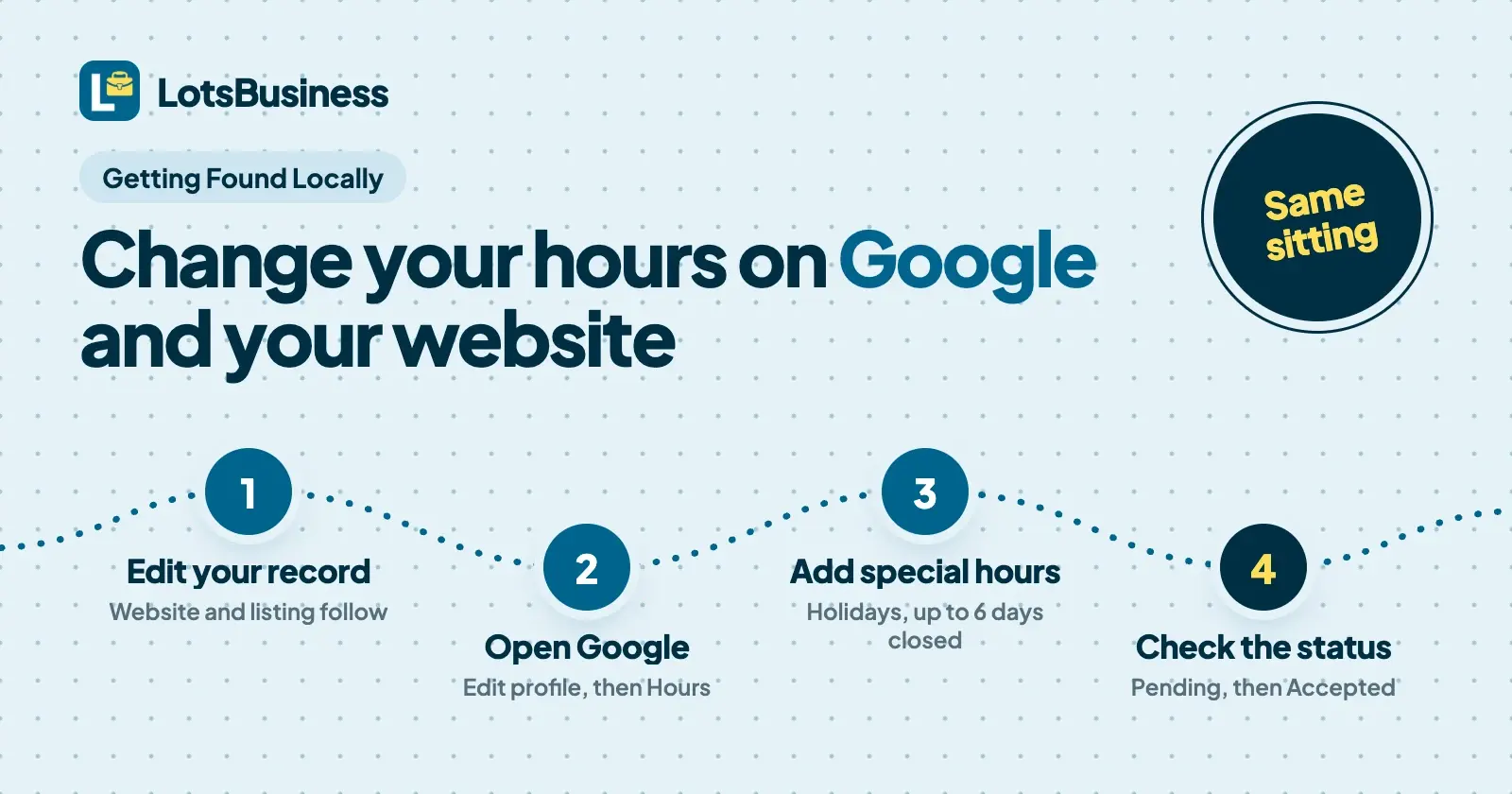
To change your business hours on Google, open your Business Profile, select Edit profile, then Hours, set your main hours or add special hours for a holiday, and save. Google reviews edits before they show. Then change the same hours on your website, so the two never disagree. In LotsBusiness one edit updates your website; Google you change in Google, in the same sitting.
Hours are the detail customers act on most: they decide whether to drive over or call the next business. The Google steps below come from Google Business Profile Help, opened on 24 October 2026. After them I show how I keep a website and a Google profile in step with LotsBusiness, and what each part does and doesn't touch. Sources are at the end.
Which Google option fits your change
Google gives you four ways to change what customers see. Pick by how long the change lasts.
| Your situation | Use this on Google | Notes from Google |
|---|---|---|
| Your normal week changes (new opening times, a closed day) | Main hours | Your regular hours for a normal week. Seasonal businesses can use the current season's hours. |
| A holiday, an event, or a closure of up to 6 days in a row | Special hours | Applies only to the dates you pick, so your regular hours don't change. |
| Closed 7 or more days, closed for the off-season, or closed for an unknown period | Temporarily closed | The profile shows "Temporarily closed" on Maps and Search until you reopen it. |
| Different times for one service (delivery, takeout, senior hours) | More hours | Set as a subset of your main hours. |
Closing for good is a separate choice, Permanently closed. Don't use it for a name or location change: Google says to add a new business in that case.
Change your regular hours on Google
You need to sign in with the Google Account linked to the profile.
- Go to your Business Profile (search your business name while signed in, or open the Google Maps app and tap Business).
- Select Edit profile, then Hours.
- Next to "Hours", select Edit, then Open with main hours.
- Tick each day you're open and set the times with the dropdowns. For a break in the day, add a second entry for the same day: 9 AM to 2 PM, then 5 PM to 10 PM. For round-the-clock days choose 24 hours.
- Select Save.
If you'd rather not show hours at all, choose Open with no main hours. Google's guidelines say businesses that work by appointment only, or that run varied schedules like classes or showtimes, shouldn't list hours.
Keep hours out of the business name. Google's guidelines list "Regal Pizzeria Open 24 hours" and "Sears Outlet (Closed)" as names that aren't allowed.
Set holiday and special hours on Google
- Go to Edit profile, then Hours.
- Next to "Special hours", select Edit.
- Select a date Google suggests and choose Review, or choose Add a date and enter your own.
- If you're open that day, untick Closed and enter the times (add more sets if you split the day). If you're closed, leave Closed ticked.
- Select Save.
Three things from Google's page worth knowing:
- Special hours only show if your main hours are set to "Open with main hours". If you chose no main hours, your special hours won't appear.
- Confirm official holidays even when the hours are normal. Google says that makes it clear your special hours are accurate. For listed holidays in many countries, Google may show a warning that your hours might differ if you haven't set them.
- A set of special hours can't run longer than 24 hours. For a night that runs past midnight, split it into one entry that ends at midnight and one that starts at midnight the next day.
Mark your business temporarily closed
For a closure of 7 or more days, the off-season, or no known end date:
- Go to Edit profile, then Hours.
- Next to "Hours", select Edit, then Temporarily closed.
- Select Save.
When you reopen, go back to Hours, select Edit, choose Open with main hours, set your days and save. Special hours end on their own once the dates pass. Temporarily closed doesn't: it stays until you change it. Google also notes that temporarily closed businesses can rank after open ones for broad searches.
Google's two help pages word the seventh day differently (one says special hours for "up to 6 days", the other says "7 days or less"). If a closure is exactly a week, check which options your profile offers, and for anything longer use Temporarily closed.
How long Google edits take to show
Google reviews edits to a verified profile before they go live. Its help page says edits usually take up to 10 minutes to review, but sometimes it can take up to 30 days. After you save, the edit shows as Pending while it's reviewed, then Accepted (your new info shows) or Not approved (Google couldn't confirm it; you may be able to appeal). If you haven't verified your profile, you can still edit hours, though not everything else.
I don't promise a time for any of this, because Google decides. What I do is change the hours on Google first, and check the status before I tell anyone the job is done.
After you update hours, Google shows a message on your profile that confirms the update, and a post on the Updates tab on mobile. You can edit that post for more detail, or delete it to remove the message.
Change your website at the same time
Whatever your site runs on, the rule is the same: change it in the same sitting as Google. A visitor who reads "Closed Mondays" on your site and "Open 9 to 5" on Google doesn't know which to trust, and the one that's wrong costs you the visit.
Here is what I built LotsBusiness to do, checked in the product on 24 October 2026.
Where the hours live. Each business has one record in LotsBusiness: weekly hours, special hours and the time zone. Weekly hours are on the Hours tab of the business; Holidays and special hours is its own card on the same page. You change them there once.
What one edit updates.
- Your website. The hours table, the "open today" or "closed today" line, and the structured data and
llms.txtthat Google and AI assistants read all follow the record. LotsBusiness documents this as within a minute, with no new site version to publish. - Your LotsBusiness listing, the free directory page for the business.
- The listing pack. The hours LotsBusiness gives you to paste into any directory are built from the same record, worded the same way every time.
Special hours. Add a date or a date range, a label such as "Christmas Day", then either Closed all day or the opening and closing times. Special hours override your weekly hours on those dates. They show on the website and listing for dates in the next 60 days, and you can store up to 60 entries. A multi-day closure is one entry with a start and end date.
What stays with Google. When LotsBusiness creates your Google Business Profile, it sends the weekly hours from your record. After that, the profile's hours, special hours and temporarily closed status are changed in Google, the way the steps above show. LotsBusiness doesn't edit them for you, and Google reviews what you change. LotsBusiness also doesn't update Apple Maps or other listings: you change Apple Maps in Apple Business (how to add your business to Apple Maps), and the listing pack gives you the exact hours to enter.
So my routine for a change is four steps:
- Change the hours in LotsBusiness and save. The website follows.
- Open Google, Edit profile, Hours, and enter the same hours. For a holiday, add the same dates as special hours.
- Check the website, then check Google's status shows Accepted.
- Change Apple Maps and any directory that matters to the business, using the listing pack.
The free LotsBusiness listing shows the same hours. The website comes with a paid business, from $10 a month billed yearly (pricing).
Common mistakes
- No holiday hours at all. Customers see regular hours on a day you're closed. Set special hours before the date, and confirm the holidays where you're open as usual.
- Special hours that don't show. They need main hours set to "Open with main hours" on Google.
- Website and profile that disagree. The usual cause is changing one and meaning to change the other. Do both in one sitting, and re-check after a holiday.
- A post instead of special hours. A Google post saying "Closed 24 to 26 December" doesn't change the hours field. Customers who read the hours still see you as open. Use special hours, and add a post if you want to say more.
- The wrong closure type. Special hours for a long closure, or Temporarily closed for a long weekend. Special hours expire by themselves; Temporarily closed doesn't, so a profile can stay marked closed after you've reopened.
- The wrong time zone on the website. The record uses the business's time zone to work out "open now", so set it once and check it.
- Sending half a week to an assistant or the API. In LotsBusiness, setting weekly hours replaces the whole week, and setting special hours replaces the whole list. Always send all seven days and every existing special date, not just the one you're changing.
- Forgetting Apple Maps. It's a separate listing with its own login.
If you run this for clients
Hours changes arrive in a rush before holidays. A routine that holds up across clients:
- Ask every client for their holiday hours in November, in one message, and record them once per client.
- Keep the owner as owner and add yourself as a manager on Google. Google's managers can edit hours, so you don't need the client's login. How to get a business on Google Maps covers the roles.
- Update the LotsBusiness record first, from your one workspace for all clients, then each client's Google profile. Google says that if you manage many profiles, Business Profile Manager lets you mark several as temporarily or permanently closed in one action, and a spreadsheet upload takes a Special hours column.
- Send the client an approval link if they want to see the website before a holiday banner or hours change goes out (agencies).
If you also wonder whether Google alone is enough, do I need a website if I have a Google Business Profile answers it.
Or ask your AI assistant
Everything above works in the LotsBusiness dashboard. LotsBusiness also works with the AI agent you already use: connect ChatGPT or Claude once on the connect page, then ask:
Read the current hours and special hours for my bakery. Then add special hours: closed 24 to 26 December, and open 10:00 to 14:00 on 31 December. Show me the full new list before you save it.
Because special hours replace the whole list, the assistant should start from what's already there, as in that prompt. It still can't change your Google profile: you do that step in Google.
FAQ
How do I change my business hours on Google?
Sign in to the Google Account linked to your Business Profile, open your profile, select Edit profile, then Hours. Next to "Hours" select Edit, then Open with main hours, set your days and times, and select Save. Google reviews the edit before it shows.
How do I set holiday hours on Google?
Under Edit profile, then Hours, select Edit next to "Special hours". Pick a date Google suggests or add your own, set Closed or enter the opening times, and save. Special hours only show if your main hours are set to "Open with main hours".
How long does it take for new hours to show on Google?
Google says edits usually take up to 10 minutes to review, but sometimes it can take up to 30 days. Your edit shows as Pending until it's accepted. Check the status in your profile rather than assuming.
What is the difference between special hours and temporarily closed?
Google says special hours are for changed hours or a closure of up to 6 days in a row, for dates you choose. Temporarily closed is for 7 or more days, the off-season, or an unknown length of time, and stays until you reopen the profile.
If I change my hours in LotsBusiness, does Google change too?
Your website, its structured data and your LotsBusiness listing follow the new hours. Your Google profile hours are changed in Google, using the steps above, and Google reviews the edit. LotsBusiness sends your weekly hours to Google when it creates the profile.
Does LotsBusiness update Apple Maps?
No. Apple Maps is changed in Apple Business. LotsBusiness gives you the exact hours to enter in its listing pack.
Can my agency change my hours on Google?
Yes, if the owner adds it as a manager on the profile. Google's managers can edit hours. The owner stays in control and can remove access.
Sources
Google Business Profile Help, checked on 24 October 2026:
- Edit your Business Profile
- Edit your business hours
- How to set Special hours
- Mark your business as closed
- Mark your business as reopened
- Understand what happens to your Business Profile edits
- About holidays on Google
- Guidelines for representing your business on Google
LotsBusiness, checked on 24 October 2026: pricing, agencies, connect an AI assistant.