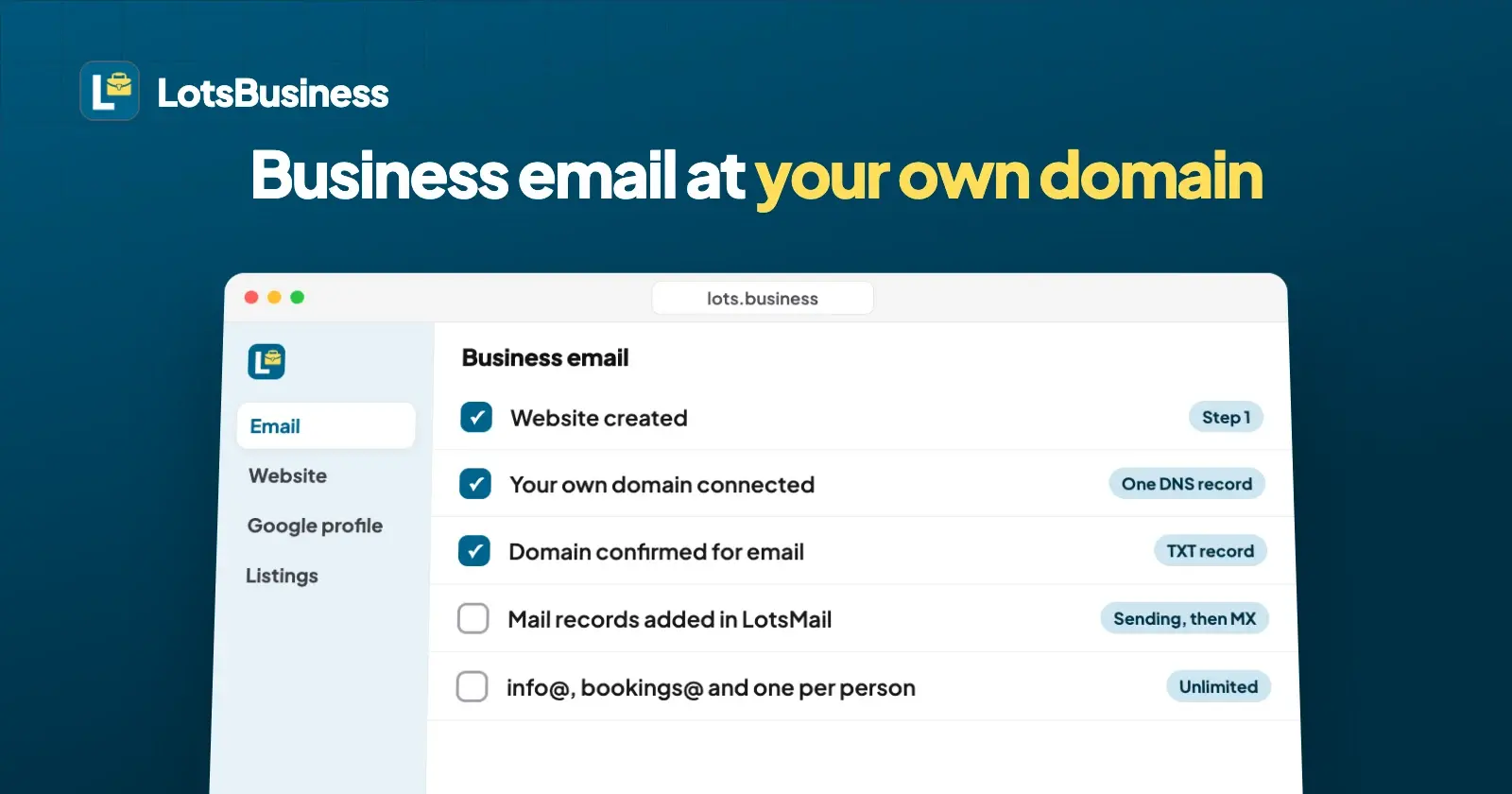
To get a business email at your own domain with LotsBusiness, you need a paid business, its website on a domain you own, and about four DNS steps: connect the domain to the website, prove you own it for email, add the mail records, then point your mail at the new mailboxes. Email is included in the business's plan, with unlimited mailboxes.
A customer trusts hello@yourbusiness.com more than yourbusiness123@gmail.com, and the address on your van, your invoices and your Google profile should match your website. Below is the whole path in the order the dashboard shows it, with the exact buttons, so you or your agency can do it in one sitting. The email itself runs on LotsMail, which is part of LotsBusiness for every paid business.
What you need before you start
- A paid business in LotsBusiness. The free listing doesn't include email. Starter covers 1 business for $120 a year ($10 a month) or $19 monthly; agencies pay $6.50 per business on Pro (5) or $4.30 on Business (25), billed yearly. Pay as you go is $20 per business a month. Prices from the pricing page, checked on 21 October 2026.
- A domain you own, like yourbusiness.com. LotsBusiness doesn't sell domains, so buy one from any domain company if you don't have one yet. Your domain stays where you bought it.
- Access to that domain's DNS settings, at the company where you bought the domain (or wherever your DNS is managed). That's where you paste the records below.
Email doesn't run on the free yourname.lotssite.com address, because the address has to be at a domain you own.
Step 1: Create the website
Open the business in the dashboard and go to the Email tab. It shows three steps with a tick next to each one that's done. The first is Website created: if you haven't made the site yet, follow the Go to Website link and start from the ready-made design for your kind of business. Email uses the domain you connect to this website, so the website comes first.
Step 2: Connect your own domain
The second step is Your own domain connected. Follow Connect your domain to the Website tab's Domains section, enter your domain, and LotsBusiness shows the one DNS record to add. Add it at your domain company, then wait until the domain shows as active. That record points the domain at your LotsBusiness website, so if an old website still lives on the domain, publish the new one first. The Email tab then reads "Connected: yourbusiness.com".
If you connected www.yourbusiness.com, email uses yourbusiness.com: the "www." is dropped, so your addresses look like you@yourbusiness.com.
Step 3: Switch on business email and prove the domain is yours
Click Set up business email. LotsBusiness asks for one TXT record that proves you own the domain:
| Type | Name or host | Value |
|---|---|---|
| TXT | _lotsmail.yourbusiness.com | lotsmail-verification= followed by your own code |
Copy both values with the copy buttons, add the record in your domain's DNS settings, then click Check the record. New records can take up to an hour to show up. If the check doesn't find it, make sure you copied it exactly and try again. Once it's found, the domain shows Domain confirmed and the third step, Business email switched on, gets its tick.
Step 4: Add the mail records in LotsMail
Click Open LotsMail to add mailboxes. LotsMail reads your domain's live DNS and shows exactly what's still missing, so you never guess:
- Records for sending. Three CNAME records that sign your mail so inboxes trust it, plus an MX and a TXT record for a bounce address (bounce.yourbusiness.com). If your domain has no DMARC record yet, LotsMail shows one to add too. Each record is marked found, missing or wrong, so a typo shows up at once.
- Records for receiving. This is the step that moves your mail, so it comes last. LotsMail shows which provider your domain's mail goes to today and warns you if mail would be split between two providers. You change your MX record only when you're ready to switch.
If your DNS is on Cloudflare, add the CNAME records with the proxy (orange cloud) turned off; LotsMail flags a proxied record as wrong.
Step 5: Create your mailboxes
Now create every address you need. There's no limit and no charge per mailbox:
- Shared addresses such as info@, bookings@ or support@, with access set per mailbox, so the right people see them.
- One mailbox per person, private to them.
- Aliases that land in an existing mailbox.
Read and send mail in the browser at mail.lotsmail.to, on a phone, tablet or computer, with threads, search, drafts, sent and archive. Staff you give a mailbox to sign in there without needing their own LotsTech account. Mail apps like Outlook and Apple Mail aren't supported yet; they're coming.
Step 6: Send website enquiries to your new address
Messages from your website's contact form go to the business email, spam filtered, and also appear in the dashboard. If you'd rather they went to other addresses, add up to three; each one confirms by a link first. Reply from your own mailbox.
What to know before you switch
- New domains start with a small daily sending allowance that grows as your mail is delivered well. It's business email for real conversations: bulk, marketing and cold email aren't allowed.
- Old mail stays where it is. Importing mail from Gmail, Google Workspace or Microsoft 365 isn't available yet, so keep your old mailbox until you've saved what you need, and switch the MX record last.
- If the business stops being paid, email pauses with it. Stored mail isn't deleted, and everything resumes when you pay again.
For agencies running client email
Each client business gets its own email domain and mailboxes, included in your per-client price: $4.30 per client a month on the 25-business plan, billed yearly. The email lives in a LotsMail workspace owned by whoever pays for the business, and it follows the business. When you hand a finished business over to the client, the email moves to the client's account and plan along with the website and domain. More in how agencies get sign-off and hand over.
How this compares with other website builders
Most builders include email for the first year only, or sell it as a Google Workspace or Microsoft 365 add-on priced per person. I compared seven of them, with prices checked on each vendor's own page, in website builders that include business email. The short version: with LotsBusiness, email isn't a separate bill, and adding a mailbox doesn't change the price.
Or ask your AI assistant
Everything above works in the dashboard. LotsBusiness also works with the AI agent you already use, so if you work in ChatGPT or Claude, connect it once (setup) and ask:
Check whether business email is ready for my bakery. If the domain is connected, set it up and show me the record to add. When I say it's added, check it.
It runs the same steps, shows you each record, and changes nothing on your domain itself: you add the records.
Common questions
How do I get a business email address with my own domain?
You need a domain you own and an email provider that receives mail for it. With LotsBusiness, connect your domain to the business's website, click Set up business email, add the TXT record that proves you own the domain, then add the mail records LotsMail shows and create your mailboxes. Email is included with the paid business.
How many email addresses do I get with LotsBusiness?
Unlimited. Every paid business includes business email at its own domain with unlimited mailboxes, so info@, bookings@ and one address for each person cost nothing extra. Team members are unlimited too.
Do I need to buy a domain from LotsBusiness?
No. LotsBusiness doesn't sell domains. Buy one from any domain company, or use one you already own, and connect it with one DNS record. The domain stays registered where it is.
Can I use business email without a website?
Not in LotsBusiness. Email uses the domain connected to the business's website, so create the website first and connect your domain to it. The website is included in the same price.
Can I use Outlook or Apple Mail with it?
Not yet; mail apps are coming. Today you read and send mail in the browser at mail.lotsmail.to, on any phone, tablet or computer.
What happens to my email if I cancel?
Email pauses with the business. Stored mail isn't deleted, and email resumes when you add a plan or credits again.