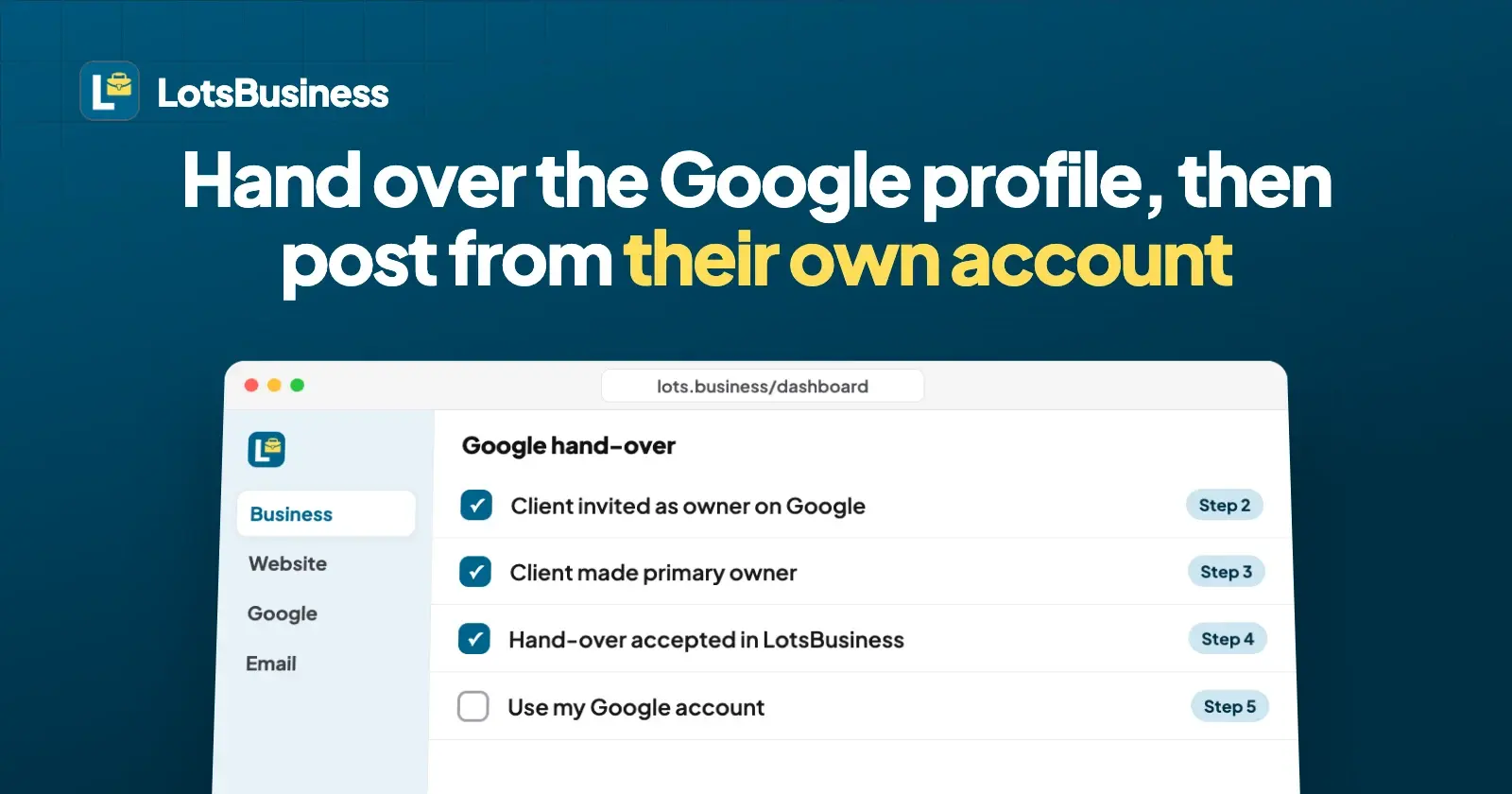
To transfer a Google Business Profile to your client, make them an owner under People and access on Google, then make them the primary owner. Only the primary owner can do the second step, and Google blocks it for the first 7 days after an account becomes an owner or manager. In LotsBusiness the hand-over then ends with one click: the client chooses Use my Google account, and every post goes out from their account, not yours.
This guide is for agencies and freelancers who built a client's profile and now want the client to own it. The Google steps come from Google Business Profile Help, opened on 26 October 2026. The LotsBusiness steps are what the product does today. Sources are at the end.
The two hand-overs: one on Google, one in LotsBusiness
A profile handed to a client involves two separate systems, and neither can move the other's part.
| What moves | Where | Who does it |
|---|---|---|
| Ownership of the profile (who owns it, who manages it) | Google, under People and access | You, as the current primary owner. LotsBusiness doesn't change who owns a profile on Google |
| The business, its website and connected domains, and who pays | LotsBusiness | You start a hand-over, the client accepts it into their own workspace |
| Which Google account posts | LotsBusiness | The client, with Use my Google account |
The third row is what makes the hand-over complete. Until it happens, posts and updates still go through the Google account that created or linked the profile. Often that is yours.
Do the Google part first
The order matters, and it comes straight from how LotsBusiness checks the switch. Use my Google account only works once Google lists the client's account as an owner or manager of the profile: LotsBusiness asks Google at that moment. So if the client accepts the LotsBusiness hand-over before Google ownership is sorted, they can't switch yet.
What happens to posting in the meantime depends on whether you kept manager access:
| Moment | Where posts come from | What the client sees |
|---|---|---|
| Hand-over started, not yet accepted | Your Google account | Nothing yet |
| Accepted, and you kept manager access | Still your Google account, as a teammate's | The business's Google tab says posts go through a teammate's account, with Use my Google account to change it |
| Accepted, and you did not keep access | Nowhere: posting is paused | The Google tab says posting is paused because the profile was linked with the account of someone who no longer has access |
| After the client switches | The client's Google account | Posts and updates go through their account |
LotsBusiness never posts through a Google account whose holder has no access to the business any more. That is the reason for the pause in the third row, and it protects the client.
Step 1: The client needs their own Google Account
Google's help says each person who manages a Business Profile needs their own Google Account, so nobody shares a password. If your client runs the business from a shared inbox or has never signed in to Google with it, have them create the account first, with an email they control and will keep.
Step 2: Add the client as an owner on Google
Sign in as the profile's primary owner (the account you created or claimed it with).
- Go to the Business Profile.
- Select More, then Business Profile settings, then People and access.
- At the top left, select Add.
- Enter the client's email address.
- Under "Access", select Owner, then Invite.
- Ask the client to accept. Google says invited users become users right away when they accept, and the owners get an email.
Google's help also says you can't add a Google Group as an owner or manager, so use the client's own email address.
Step 3: Make the client the primary owner
A profile has many owners but only one primary owner, and only the primary owner can hand that role on. If the client should hold the profile with all its reviews and history, this is the step that does it. Google says to transfer primary ownership, not just add an owner, if you want your business info, like reviews, maintained.
- In People and access, select the client.
- Next to "Access", select Edit.
- Select Primary owner, then Save.
Plan for Google's 7-day wait. Google says a new owner or manager must wait 7 days before they can manage every feature. During that time they get an error if they try to remove other owners or managers, delete the profile, or make someone the primary owner. So if the account doing the transfer was added to the profile in the last 7 days, wait out the week. Google's pages don't say whether creating a profile counts as becoming an owner, so for a profile you created this week I'd allow a week before Step 3. Send the client's invite in Step 2 early so it is already accepted by then.
Check your own role afterwards. Open People and access and look at what Google shows for your account. Google lets the primary owner remove themselves only after transferring primary ownership, and managers can remove themselves. Whether you stay as a manager is a choice you and the client make, covered below.
Step 4: Start the hand-over in LotsBusiness
Now move the business, website and domains.
- Open the business in your workspace and start a hand-over. Enter the client's email.
- Choose whether to ask to keep manager access. The default is to ask.
- LotsBusiness emails the client a link to review and accept. It lasts 14 days, and you can cancel a pending hand-over.
- The client signs in with that same email, chooses one of their workspaces (every account has a personal one) and accepts.
- Their plan or credits pay for the business from then on. If their workspace has no free place on a plan and no credits, they're asked to choose one before accepting. Plans start at $10 a month billed yearly (pricing). Until they accept, your plan keeps paying.
The business, its website and its connected domains move to the client's account. The website stays online. If you asked to keep manager access, the client sees the request and decides when they accept. The full agency flow, including approval links before go-live, is in client sign-off and website hand-over.
Step 5: The client posts from their own account
This is the step that moves posting to the client. The client:
- Opens the business and its Google tab.
- Selects Connect Google and signs in with their own Google Account, the one you made primary owner.
- Under "This business on Google", reads the line about whose account posts go through, and selects Use my Google account.
LotsBusiness checks live with Google that the client's account is an owner or manager of that profile. If it isn't yet, it tells them to ask the profile's primary owner to add the account under People and access, accept Google's email, and try again. That is the message the client sees if Step 2 was skipped or they signed in with a different Google Account.
When it works:
- It's the same profile. Reviews, photos, verification and the Google listing are untouched. Only whose Google account is used changes.
- Posts and updates go through the client's account from then on: news, events and offers, each reviewed by Google as before.
- Only the owner or an admin can make the switch. A manager can't. If you kept manager access, you can't move posting back to your own account once the client has chosen theirs.
- A different profile can't replace this one. A profile created through LotsBusiness stays the business's profile.
What stays the same after the switch
- Hours. LotsBusiness sends the weekly hours to Google once, when it creates the profile. After that, whoever owns or manages the profile changes hours, special hours and temporary closures in Google. The client can do that in their own profile, and you can too if you stay a manager. How to change business hours on Google has the steps.
- Posts you made. Google says that when someone stops managing a profile, their past replies, posts and other actions stay on it.
- The website and listing. They belong to the client's LotsBusiness account now and follow the business details there.
Should you stay on as a manager?
Both sides can say yes, and the client can change their mind any time.
- Stay on if you still run their posts or hours. On Google, managers can edit main business info like hours and address, create and publish posts, respond to reviews and edit photos. They can't add or remove users or remove the profile, so the client stays in control.
- Step back if the client takes over. They remove you on Google (only owners can), and they remove your access to the business in LotsBusiness.
Whichever you pick, ask the client to do Use my Google account before you leave, so posting never pauses.
A checklist for hand-over day
- Client has their own Google Account.
- Client invited as Owner on Google and has accepted.
- The account making the transfer has been on the profile for over 7 days, then the client is made Primary owner.
- Hand-over started in LotsBusiness, with or without manager access.
- Client accepted, and their plan or credits cover the business.
- Client connected Google and chose Use my Google account.
- You and the client agree whether you stay a manager, on Google and in LotsBusiness.
When the client already had a profile before you
You don't hand anything over on Google. Ask the client to add you as a Manager on their profile (Google says to use People and access), link the profile to the business in LotsBusiness, and do the work. Because the client is already the owner, there's nothing to transfer. They can still choose Use my Google account after the business moves to their workspace.
Is a hand-over the same as claiming a listing?
No. A hand-over is you giving a business you manage to its owner. A claim is someone proving they own a free directory listing that has no owner yet. A claim needs proof of control of the business's email or website, a pending claim expires after 7 days, and one person can hold at most 3 pending claims. Neither one changes who owns the Google profile.
Or ask your AI assistant
Everything above works in the LotsBusiness dashboard. LotsBusiness also works with the AI agent you already use, so if you work in ChatGPT or Claude, connect it once (setup). For the agency:
Start a hand-over of Example Bakery to owner@example.com and ask to keep our manager access. Then tell me which Google account its posts go through.
For the client, after accepting:
Which Google account posts for Example Bakery? If it isn't mine, link the profile with my Google account.
The assistant shows what it will do first, and the LotsBusiness checks above still apply: Google has to list the client as an owner or manager before the switch works.
FAQ
How do I transfer a Google Business Profile to a client?
Add the client as an owner under People and access on the profile, wait for them to accept, then open their entry, choose Edit next to Access, select Primary owner and save. Only the current primary owner can do the last step, and an account that became an owner or manager in the last 7 days gets an error if it tries.
Does a LotsBusiness hand-over move the Google Business Profile?
No. It moves the business, website and connected domains to the client's LotsBusiness account. Ownership of the profile is set on Google. After the client becomes an owner or manager there, they choose Use my Google account on the business's Google tab so posts go through their account.
What happens to Google posts if I don't keep access after the hand-over?
Posting pauses until the client links their own Google account. LotsBusiness doesn't post through the Google account of someone who no longer has access to the business.
Why does Use my Google account fail?
LotsBusiness checks with Google that the client's account is an owner or manager of that profile. If it isn't, ask the primary owner to add that exact Google Account under People and access, accept Google's email, and try again.
Can my agency keep posting for the client?
Yes, if the client agrees to you keeping manager access. Until they switch, posts can go through your account. After they switch, you can still be a manager on Google, but you can't move posting back to your own account in LotsBusiness.
Do the hours on Google follow my LotsBusiness edits after hand-over?
No. LotsBusiness sends the weekly hours to Google once, when it creates the profile. Later hours changes are made in Google by the profile's owner or managers.
Sources
Google Business Profile Help, opened on 26 October 2026:
LotsBusiness, checked on 26 October 2026: pricing, agencies, connect an AI assistant, and is LotsBusiness safe for who can change a business.