Every fact about OpenAI, Google, Microsoft and Apple below was checked on their own pages on 26 November 2026. These products change fast, so the links are at the end.
People have started asking ChatGPT the questions they used to type into Google. "Best dog groomer near me." "Who can fix a leaking boiler today?" "Is there a good accountant in my town?" ChatGPT answers with names. If yours isn't one of them, you never see that conversation. You just notice the phone is quieter.
On 10 November 2026, OpenAI gave business owners a way to step into that conversation: you can now claim your business inside ChatGPT, keep its details right, see how often you're mentioned, and get a blue check. Almost nobody has done it yet. This guide shows you how, in plain steps, and what to do first if you can't claim yet.
What "claiming your business in ChatGPT" actually means
OpenAI calls it Businesses in ChatGPT. You manage it in Business Hub, at chatgpt.com/business-hub. It's still in beta.
The easiest way to think about it: it's Google Business Profile, but for ChatGPT. You prove you own the business, then you look after the details ChatGPT can show about you.
Here's what you get, according to OpenAI:
- Your details, in your words. Your website, a business description, your category, logo, delivery and return policies, a cover photo and other optional details.
- A blue check on your business profile in ChatGPT, once your identity check is approved.
- Insights. How often ChatGPT mentions you, how often people click through to your website, and the themes of the answers you show up in. You never see anyone's actual chat.
- Product feeds, if you sell things. Retailers can upload products with prices and stock. Shopify stores can connect directly.
- A Business Agent, for some. A chat helper inside ChatGPT that answers questions about your products and policies. It's for eligible ecommerce and online service businesses, and it's optional.
And the most important line, in OpenAI's own words: "Claiming does not guarantee higher placement or sales." ChatGPT still makes its own recommendations, and OpenAI says advertising doesn't change that either. What claiming does is make sure that when ChatGPT talks about you, it has the right facts. For 20 minutes of work, that's a good deal.
Can you claim yet?
Maybe. It's a beta and the rules are moving. This is what OpenAI's pages said on 26 November 2026:
| Question | What OpenAI says |
|---|---|
| Who can claim? | The owner, or someone authorised to represent the business. |
| Do I need a website? | Yes, for now. Claiming is "initially available to eligible businesses with a website". |
| Which industries? | It depends on industry, location and OpenAI's verification checks. OpenAI doesn't publish a list of excluded industries. |
| Which countries? | Businesses located where ChatGPT is available and verification is supported. Since 19 November 2026, ecommerce and online service businesses outside the US can claim too. |
| Local shops and restaurants? | Right now, local stores and restaurants can claim only an existing listing in the US. OpenAI hasn't said yet when local businesses elsewhere can claim. |
| Does it cost anything? | None of OpenAI's pages mention a fee. You don't need an ads account or an Enterprise plan. |
If you're a local business outside the US, you can't claim yet. Don't skip this guide. Everything in the second half (your website, robots.txt, Google, Bing and Apple) is what ChatGPT reads about you today, claimed or not, and it's what makes you ready the day claiming opens to you.
If you have no website, start there. It's now the entry ticket to ChatGPT, not just to Google. (If you're wondering whether your Google profile is enough on its own, here's why it isn't.)
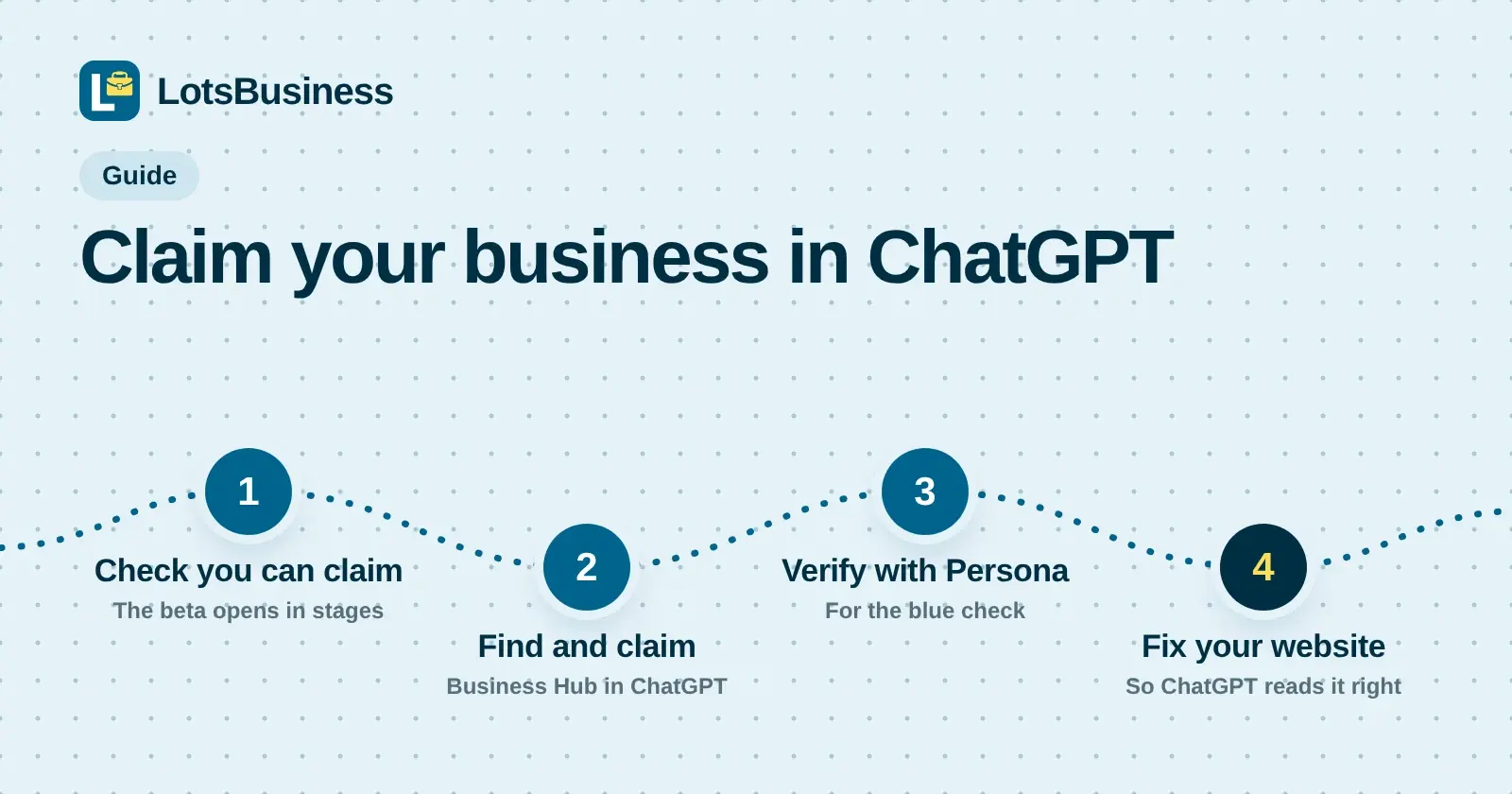
How to claim your business, step by step
This follows OpenAI's help article "Setting up your business on ChatGPT" and what the screens showed when we claimed LotsTech's own business on 26 November 2026. Where OpenAI doesn't describe a step, I say so rather than guess.
Have these ready: your website address, the business phone number or email that appears publicly, access to your domain settings (or the person who manages them), photo ID, and your business registration details.
Step 1: Open Business Hub
Sign in to ChatGPT and go to chatgpt.com/business-hub (or open Business Hub from the sidebar). You'll see "Reach new customers and grow your business with ChatGPT" and a Search business box. Continuing means you accept OpenAI's Businesses in ChatGPT Terms, linked at the bottom of the page. Use a ChatGPT account you'll keep: a claim can only be found again from the account that started it.
Step 2: Find your business, or create it
Type your business name. ChatGPT lists businesses with similar names, usually with their address, so you can tell yours apart from look-alikes. Pick yours.
If it isn't there, the top of the list offers Create '[your business name]'. Choose it and ChatGPT asks How do customers usually interact with [your business]?:
- At a physical location: customers visit a store, restaurant, office or other location.
- Through a website: customers buy from your website or a marketplace.
OpenAI's help page says local stores and restaurants can currently claim only an existing US listing, so if you serve people in person, look hard for your existing listing first.
Step 3: Add your website
ChatGPT asks for your business website. As you fill things in, a preview card on the right shows how your profile could look: your name, your category, and your delivery and return policies. OpenAI notes that what customers see may vary with what's most relevant to their conversation.
Step 4: Prove you're connected to the business
ChatGPT shows the verification methods available for your listing. They vary, and may include:
- Business phone: a code by text or an automated call to the number shown.
- Business email: a code to the email linked to your business.
- Website domain: you add a short line of text (a "TXT record") to your domain's settings, exactly as shown, then select Verify domain. If someone else runs your domain, send it to them. It can take a while to show up.
- Shopify store: connect your store and follow the prompts.
Tip: if the public phone or email is out of date, use Website domain if it's offered. You can verify without changing your public number first.
Someone else already claimed it? Open the profile, tap the three dots (•••) and choose Dispute ownership. You'll then verify your identity.
Step 5: Wait for approval
OpenAI reviews your claim and emails you a decision or a request for more information. You can cancel while it's under review. OpenAI doesn't publish how long reviews take.
Step 6: Verify your identity with Persona
This is the step most people miss. Approval lets you into Business Hub, but you can't publish changes, see insights or add products until you pass an identity check run by Persona, the service OpenAI uses for this.
Open Business, select your profile and look for Complete verification with Persona. You may need government-issued ID, your business registration details and proof that you can represent the business.
Enter your legal business name exactly as it appears on your registration documents, and put your trading name in the separate trade name field. A café called Corner Cup that's registered as Corner Cup Foods Ltd enters "Corner Cup Foods Ltd" as the legal name. Make the address and any registration or tax number match your records too.
Your blue check appears once Persona approves you.
Step 7: Fill in your profile
On your business's Overview page, select Edit and update your website, description, category, logo, delivery and return policies and cover photo. OpenAI reviews changes before they go live, so they won't appear instantly. Everything must be true and current: no fake reviews, no "guaranteed results", no hidden fees.
A description you can copy and fill in:
[Business name] is a [what you are] in [town or area], serving [who] since [year].
We offer [3 to 5 main services, in plain words].
Open [days and hours]. Book or ask a question at [website] or [phone].
Step 8: Read your dashboard once a month
Your business's Overview page is where you'll come back. What it shows:
- Mentions and Website clicks, for the last 7 or 28 days, with a chart of mentions per day.
- Website access: whether ChatGPT can reach your website. If it shows a problem, check your robots.txt (below) and select Try again.
- Top 5 discovery topics: the themes of the conversations you come up in. They appear once there are enough mentions, so a new or quiet business may see an empty chart at first. That's normal.
- Brand insights and Agent insights, and in the side menu Agent builder and Products, for businesses that can set up a Business Agent or a product feed.
Business Hub also offers to connect an ad account to promote your business in ChatGPT. That's optional and separate: you don't need ads to claim your business or keep it accurate.
Why your website comes first
OpenAI is opening claims to businesses with a website first, and ChatGPT reads your website whether you claim or not. So your site does two jobs now: it gets you claimed, and it's what ChatGPT quotes.
The 6 things your website needs
This is my checklist, not OpenAI's. It's what customers look for, and it's what an AI assistant needs to describe you correctly.
- What you do, in one plain sentence, at the top. "Family dental clinic in Leeds" beats "Welcome to our website". It's often the line an AI repeats.
- Where you work. Your address if customers come to you, or your service area in words (towns, suburbs) if you go to them.
- Prices, or a "from" price. "Haircuts from $35." If it depends on the job, say what it depends on.
- Proof. Real photos of your work and two or three real reviews, with the customer's permission. Never invent one.
- How to contact you. A tap-to-call number, an email, your opening hours in text, and one clear button such as "Book" or "Get a quote".
- Fast and readable on a phone. Big text, big buttons, no pop-up covering the screen.
Then add your common questions as plain questions with short answers: "Do you do emergency call-outs on Sundays?", "Which areas do you cover?". AI assistants answer questions, so give them yours.
Let ChatGPT's search read your site
OpenAI's search uses a crawler (a program that reads websites) called OAI-SearchBot. OpenAI's own documentation says sites that block it "will not be shown in ChatGPT search answers". Whether you block it is set in a small file at yourwebsite.com/robots.txt.
Open that address in your browser. If you see "OAI-SearchBot" with "Disallow: /" under it, or "User-agent: *" with "Disallow: /", you're blocking it. To allow it, the file should include:
User-agent: OAI-SearchBot
Allow: /
A different crawler, GPTBot, collects content for training OpenAI's models. The two are separate: you can allow search and block training. OpenAI says changes take about 24 hours. If someone else runs your site, send them that block and ask them to check any "block AI bots" setting too.
You can do all of this with any website builder or a designer. If you'd rather have it in one place, I use LotsBusiness for this, because I built it: it builds a small business website with AI from your business details, you edit it section by section on your computer or phone, and it works on a yourname.lotssite.com address that comes free with the plan, or a domain you already own. It's built so AI assistants can read it. You can see the current plans at lots.business.
The same 10 minutes for Google, Bing and Apple
ChatGPT isn't the only place AI reads about you. Assistants also read your map listings, and the more of them that say the same thing, the more confident they can be about you. Your business name, address and phone number should be written exactly the same everywhere.
Google Business Profile. Search your business on Google Maps. Claim it, or start one at business.google.com/add. Pick the most specific category, check your hours and pin, and add real photos. If you travel to customers, hide your street address and add your service areas. If verification is where you get stuck, I've written up every verification method Google offers.
Bing Places for Business. Sign in at bing.com/forbusiness. If you already have a verified Google Business Profile, choose Import from your Google Business Profile. Bing says it then verifies the imported listing automatically, and publishing typically takes 7 to 12 days. Search first, because Bing warns the import can create duplicates.
Apple Business (it used to be Apple Business Connect). Since 14 April 2026, it's a free service at business.apple.com that controls your place card on Apple Maps. Sign in, choose Brands > Locations > Add, find or add your business, drag the pin onto the right building, check your details and hours, then verify (often with a phone call and a four-digit code).
Do today (about 30 minutes)
- (10 min) Go to chatgpt.com/business-hub, search for your business, and start your claim if you're eligible.
- (3 min) Open yourwebsite.com/robots.txt and make sure OAI-SearchBot isn't blocked.
- (5 min) Check your website against the 6 things and write down what's missing.
- (5 min) If you have a verified Google Business Profile, import it into Bing Places.
- (7 min) Sign in to business.apple.com and find or add your location.
Then put a 15-minute reminder in your calendar for the first Monday of each month: ask ChatGPT "best [your trade] in [your town]", check who it names, and update anything that changed.
FAQ
Can I claim my business in ChatGPT for free?
None of OpenAI's pages mention a fee for claiming, and you don't need an ads account or an Enterprise plan. Business Hub offers ads separately, as an option.
Can every business claim its listing in ChatGPT yet?
Not yet. It's a beta. Claiming is initially for eligible businesses with a website, and local stores and restaurants can currently claim only an existing US listing. Ecommerce and online service businesses outside the US can claim since 19 November 2026.
Will claiming my business make ChatGPT recommend it?
No. OpenAI says claiming does not guarantee higher placement or sales. It makes sure ChatGPT has the right facts about you when it does mention you.
How do I get the blue check in ChatGPT?
After OpenAI approves your claim, complete the identity check with Persona from your business profile. The blue check appears once that check is approved.
Why does ChatGPT need to read my website?
OpenAI opens claims to businesses with a website first, and ChatGPT's search uses a crawler called OAI-SearchBot. If your robots.txt blocks it, OpenAI says your site won't be shown in ChatGPT search answers.
Sources (checked on 26 November 2026)
- OpenAI, Your business, in ChatGPT: https://openai.com/business/businesses-in-chatgpt/
- OpenAI, Introducing Businesses in ChatGPT (10 Nov 2026, updated 19 Nov 2026): https://openai.com/index/introducing-businesses-chatgpt/
- OpenAI, Businesses in ChatGPT policy: https://openai.com/policies/businesses-in-chatgpt/
- OpenAI Help Center, Setting up your business on ChatGPT: https://help.openai.com/en/articles/20001635-setting-up-your-business-on-chatgpt
- OpenAI, Overview of OpenAI crawlers: https://developers.openai.com/api/docs/bots
- Bing Places for Business help: https://www.bing.com/forbusiness/help/manageYourListings and https://www.bing.com/forbusiness/help/syncGoogleBusinessProfile
- Apple, Introducing Apple Business: https://www.apple.com/newsroom/2026/03/introducing-apple-business-a-new-all-in-one-platform-for-businesses-of-all-sizes/
- Apple Business User Guide, Add a location: https://support.apple.com/guide/business/add-a-single-location-abcb98816a34/web
- Google Business Profile Help: https://support.google.com/business